
I see you end up here because local policy editor (GPEdit.msc) is failed to open and you get this error: Failed to open the Group Policy Object on this computer. You might not have the appropriate rights.

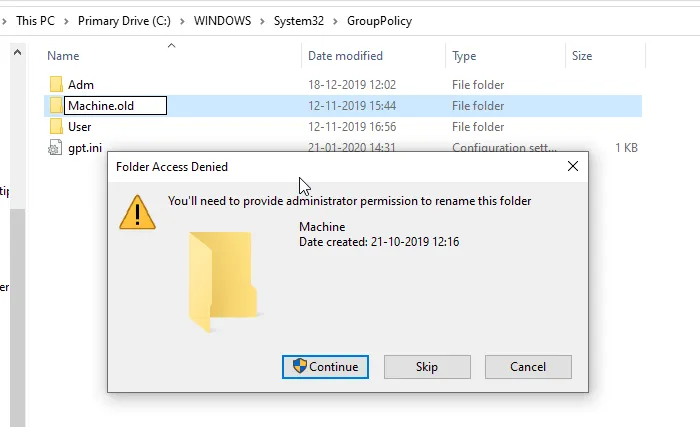
This super easy fix might fix the issue. All you have to do is rename (or delete) the folder named Machine at C:\Windows\System32\GroupPolicy.
I would rename the Machine directory to Machine.old. Then try launching gpedit.msc again.
 Anand, the Architect
Thank you!!
WORK LIKE A CHARM!
Thanks boss – wonder what caused this?
a corrupted/invalidated GPO file in Machine directory causes this error.
i dont have group policy folder
You need to show hidden files
great thank you problem solved