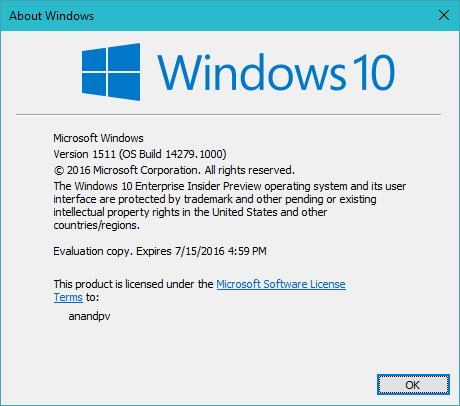
How do you find Windows version information? --Anand-- Uncategorized March 13, 2016 1 Minute The easiest way is, Click Windows Key + R to open Run dialog Type WINVER and press Enter Windows Version is displayed in a dialog box. If you are in PowerShell, Type this: [Environment]::OSVersion. Share this: Click to share on Tumblr (Opens in new window) Tumblr Click to share on Reddit (Opens in new window) Reddit Click to share on Pinterest (Opens in new window) Pinterest More Click to email a link to a friend (Opens in new window) Email Click to share on Facebook (Opens in new window) Facebook Click to print (Opens in new window) Print Click to share on X (Opens in new window) X Click to share on LinkedIn (Opens in new window) LinkedIn Click to share on Pocket (Opens in new window) Pocket Like Loading... Related Published by --Anand-- Being in Silicon Valley for years, I became a IT Infrastructure Geek by experience and surrounded by other Geeks everywhere. I try to help others by the solutions I found on odd occasions. View all posts by --Anand-- Published March 13, 2016